


ServiceNow operates in 85% of Fortune 500 companies and processes over 95 billion workflows annually . If your IT team operates at the scale of Stellantis or AstraZeneca, this platform likely deserves a place on your team. For most teams, it’s a platform designed for organizations five times larger.
G2 reviews are consistent on this point: the top complaint labels are “Learning Curve” (72 reviews), “Expensive” (60), and “Complexity” (56). One reviewer put it bluntly: “Pricing is another concern, since the platform is relatively expensive and the ROI tends to be clearer for larger organizations than for smaller teams.” ServiceNow also doesn’t publish its pricing: each ITSM pricing page ends with a “Get a custom quote” button.
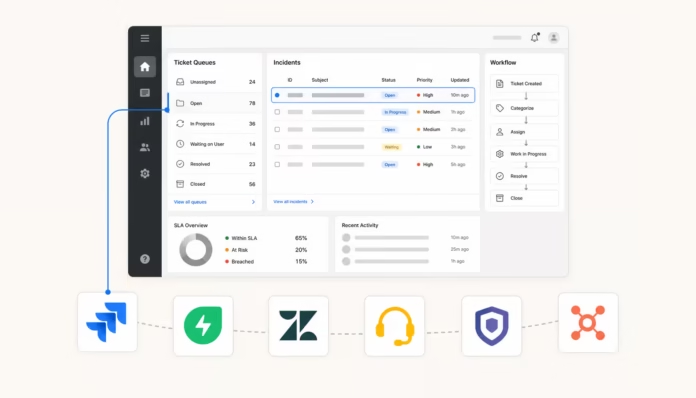
The five platforms on this list handle incident management, change management, service catalog, CMDB, and AI-assisted resolution—the parts most teams actually use—without requiring a consulting contract to implement them. Each serves a different team profile, so the comparison chart below is a helpful starting point before reading the full sections.
What to look for in a ServiceNow alternative
Before the list, here are the elements to check for any alternative:
- ITSM Core: Incident, problem, and change management is the minimum requirement. A CMDB and asset tracking are important if your team actively manages the infrastructure; a clean service catalog is important if end users submit their own requests.
- Transparent pricing: If you can’t get a figure without a sales call, it’s a signal about who the supplier considers their customer.
- AI included, not locked: The difference between “AI available” and “AI available only at the Enterprise level” is significant. Know which level includes the virtual agent and intelligent triage before starting a trial.
- Configuration you can manage internally: A Gartner assessor of a $1-3 billion manufacturing company noted this about ServiceNow: “Fully leveraging the platform requires a well-defined process model and dedicated internal ownership.” This isn’t a criticism—it’s accurate for the product category. The question is whether this aligns with your team’s capabilities.
- Integration with your existing stack: Development teams want GitHub and Slack. IT operations teams want monitoring tools. Customer support teams want a CRM. The best alternative is the one that fits your actual workflow, not the one with the longest integration list.
The 5 best alternatives to ServiceNow in 2026
Each platform below solves a distinct problem. A quick comparison shows how they break down:
| Tool | Ideal for | Starting price | Free level | AI included |
|---|---|---|---|---|
| Jira Service Management | Development-focused organizations, Atlassian clients | $20/agent/month | 3 agents | Rovo AI (Standard+) |
| Freshservice | Mid-market IT, fast valuation time | $19/agent/month | 14-day trial | Freddy AI (Enterprise level) |
| Zendesk | Customer-oriented service teams | $55/agent/month (Continued) | No | AI Agents (Suite plans) |
| ManageEngine ServiceDesk Plus | Teams highly focused on ITIL, regulated industries | $13/tech/month | 5 technicians | Zia AI (all levels) |
| HappyFox | SMEs, teams leaving shared inboxes | $21/agent/month | Demo only | HappyFox AI (included) |
The sections below each cover in detail: what they do well, where they fall short, complete pricing tables, and what real users are saying.
1. Jira Service Management
Jira Service Management (JSM) is Atlassian’s ITSM platform, built on Jira and designed for organizations where IT operations and software development work within the same toolchain. Incident queues, change approvals, and service catalog requests are integrated alongside engineering sprints, which is crucial when IT and development teams need to collaborate on the same issues.
Over 60,000 customers worldwide use JSM. A Forrester Total Economic Impact study measured a 275% ROI over three years. It is PinkVERIFY certified for ITSM best practices and has a 4.5/5 rating from 1,458 verified Gartner Peer Insights reviews – 50% five stars, 43% four stars.
Pricing
JSM is now sold as part of Service Collection , a bundle including JSM, Customer Service Management, Assets (CMDB) and Rovo AI:
| Plan | Price | What’s included |
|---|---|---|
| Free | $0 | 3 agents, 1 site, 2 GB of storage, 500 automation executions/month |
| Standard | $20/agent/month | Up to 100,000 agents, 5,000 Assets, 25 Rovo credits/user, 250 GB of storage |
| Premium | $51.42/agent/month | Virtual service agent (1,000 conversations/month included), full AIOps, complete change management, 99.9% uptime SLA |
| Enterprise | Contact sales | Up to 150 sites, unlimited automation, 99.95% SLA, Atlassian Guard Standard included |
Assets (CMDB) is now included in Standard – it was previously reserved for Premium, following an announcement from the Atlassian community in 2025 .
What JSM does well
Integration into the Atlassian ecosystem is the key feature for teams already using Jira Software or Confluence. An IT assessor for a $10 billion energy company put it bluntly: “For organizations already deeply embedded in the Atlassian ecosystem, the native integration between JSM and Jira Software is a significant force multiplier, creating a seamless flow of information between IT Operations and Development.”
The automation engine is powerful. Another reviewer noted: “JSM has transformed how our organization handles IT and business service delivery. Its seamless integration with Jira software, powerful automation engine, and flexible customization make it a standout ITSM platform. Managing SLAs, queues, and incident workflows is intuitive.” The Jira with AI Knowledge Base guide explains how Rovo AI integrates into this workflow.
The free tier is also a real option for small teams – three agents and unlimited end users, with no time limit.
Where it gets more difficult
The complexity of the configuration is the most frequent complaint, especially for teams without prior ITSM or Atlassian experience. One reviewer summarized it: “It is better for large teams, because for small teams we need the same complex initial implementation and setup as for large teams. Complex administration is what makes it somewhat difficult for the admins.”
The license has become more expensive recently. Out-of-the-box reports are limited and often require additional plugins. API-level customization has shortcomings that force workarounds for large and complex deployments. Full change management and AIOps capabilities are locked behind the Premium version ($51.42/agent/month).
Who it’s best suited for: IT teams already in the Atlassian ecosystem, or organizations that want IT operations and software development on the same platform. If your team doesn’t use Jira Software, the investment in configuration may outweigh the benefits of integration. For teams looking to connect Jira to their support tools, the Jira-Zendesk integration guide is a helpful starting point.
2. Freshservice
Freshservice by Freshworks is the ITSM product in the Freshworks suite, separate from Freshdesk (customer support) and designed specifically for internal IT service delivery and employee experience. It covers the complete ITIL stack: incident, problem, change, version, and asset management, all within a single interface.
Over 74,000 businesses use Freshservice, with Trainline , ITV , Carrefour , and Databricks among the client logos on the homepage. A Forrester Total Economic Impact study found a 356% ROI in less than six months. Freshservice is recognized by Gartner as a leader in AI-driven ITSM and has a 4.5/5 rating on Capterra with 692 reviews .
Pricing
All prices are per agent per month, billed annually. Monthly billing is available at higher rates.
| Plan | Price | Key features |
|---|---|---|
| Starter | $19/agent/month | Incident management, service catalog, SLA management, knowledge base, ServiceBot for Slack/Teams |
| Growth | $49/agent/month | Adds issue management, change management, version management, and intelligent routing |
| Pro | $99/agent/month | Adds a sandbox environment, advanced ITAM, ITOM, and Enterprise Service Management features |
| Enterprise | Custom | Adds native Freddy AI (1,200 AI sessions/year included), project portfolio management, Freddy AI Copilot |
There is no permanent free tier, but a 14-day free trial with full access to all features is available without a credit card.
What Freshservice does well
Ease of use is the most consistent praise. In a Capterra opinion at the start of 2026: “Freshservice’s biggest strength is how effortlessly everything comes together in one clean, intuitive platform – its interface is easy to navigate, automation removes a ton of repetitive work, and the built-in asset management gives you clear visibility without feeling overwhelming.”
Integrated IT asset management is a significant differentiator—most competitors require a separate module for hardware discovery and software license tracking. Freshservice includes ITAM starting with Growth. Freddy AI handles ticket summarization, suggested answers, and conversational self-help at the enterprise level.
The vendor’s own figures show a 66% ticket deflection rate with self-help powered by Freddy AI and a 77% reduction in average resolution time with Freddy AI Copilot . “It has helped improve operational efficiency, reduce turnaround time, and bring better structure to ticket and service request management.” – Praphul Kumar P., Tech Lead, Insurance sector, Capterra 2026.
Where it gets more difficult
Freddy AI—the key AI differentiator—is entirely locked behind the Enterprise tier. Teams on Starter through Pro get basic automation but not the virtual agent, AI synthesis, or Copilot features. Reporting is a persistent weakness: out-of-the-box reports cover the basics, but anything complex requires custom configuration. Some reviewers also report that the licensing model creates friction when scaling seats or unlocking features.
Capterra evaluators who specifically left ServiceNow cite faster implementation as the primary reason, but also note that the platform sometimes requires adapting its process to the system rather than the other way around.
Who it’s best suited for: Mid-market IT teams that want a quick valuation without a consulting firm. Comparing Freshservice vs. SolarWinds Service Desk is useful if you’re evaluating it alongside other IT-native alternatives.
3. Zendesk
Zendesk starts from a different point of view than the other tools on this list—it was designed first and foremost for customer-centric support. This distinction matters when deciding if it’s right for your use case. If you’re replacing ServiceNow’s Customer Service Management (CSM) module—the one that handles tickets and cases for external customers, not internal IT requests—Zendesk is the direct comparison.
Zendesk has a 4.3/5 rating based on 6,816 G2 reviews and a 4.4/5 rating based on 4,077 Capterra reviews . In March 2026, Zendesk acquired Forethought , integrating Forethought’s agentic AI into the Zendesk Resolution Platform and significantly expanding its autonomous resolution capabilities. A comprehensive overview of how Zendesk works covers the ticketing system, knowledge base, and AI features in detail.
Pricing
All prices are per agent per month, billed annually:
| Plan | Price | AI Agents | Automated resolutions included |
|---|---|---|---|
| Support Team | $19/agent/month | Requires an add-on module | 5/agent/month |
| Suite Team | $55/agent/month | Included | 5/agent/month |
| Professional Suite | $115/agent/month | Included | 10/agent/month |
| Enterprise Suite | $169/agent/month | Included | 15/agent/month |
Zendesk’s AI agents are billed per “automated resolution” (AR)—each resolution counts when a customer’s issue is resolved without a human agent. Included allowances are low; additional resolutions cost $1.50 each (committed purchases) or $2 each (on-demand overage) . Copilot —the proactive AI assistant for human agents—adds $50 per agent per month on top of the Suite plans.
What Zendesk does well
Omnichannel consolidation is the main force. A reviewer in the role of Director of IT Operations described it: “Zendesk is a ticketing solution, and it does it rather well. It consolidates all the messages of the customers, whether they are emails, chats or social media to a single inbox and so my team does not need to keep moving between the tabs.”
The AI’s performance is among the best in its class. G2 benchmarks place Zendesk’s AI at 96% response accuracy and a 100% correct escalation rate, meaning the AI correctly identifies when to transfer to a human agent. Another reviewer praised how the generative AI handles multi-level responses: “The generative AI service helps us create multi-level responses based on our knowledge base, addressing customer queries without needing a live agent and prioritizing issues based on severity.”
Where it gets more difficult
Pricing complexity is the primary complaint. AI-driven, AR-based billing means teams must carefully model usage before they know what they’ll actually pay at scale—included allowances are small, and overages quickly accumulate. For IT teams specifically comparing Zendesk to HappyFox , cost and ITSM depth are the main differentiators.
For pure ITSM use cases—change management, CMDB, asset lifecycle, issue management—Zendesk is lightweight compared to Freshservice or ManageEngine. It’s a solid customer service platform; it doesn’t try to be a complete IT operations platform.
Who it’s best suited for: Teams replacing ServiceNow’s CSM module for customer-facing support, or organizations that provide support via email, chat, phone, and social channels and need one inbox for everything. If you’re building a combined Jira/Zendesk stack for development and support, the Zendesk-Jira integration guide explains how to connect them.
4. ManageEngine ServiceDesk Plus
ManageEngine ServiceDesk Plus is the ITSM offering from ManageEngine, the enterprise IT division of Zoho Corp. It covers the full ITIL v4 certification stack and is one of the few alternatives on this list to offer a true on-premises deployment option alongside its cloud product – relevant for government agencies, banks, and regulated industries where data residency is a strict constraint.
Gartner named it in the 2025 Magic Quadrant for AI Applications in ITSM , and it gets 4.4/5 from 1,465 Gartner Peer Insights reviews – the same rating as ServiceNow itself on the same platform.
Pricing
Cloud plans, billed annually per technician per month:
| Edition | Price | Key features |
|---|---|---|
| Standard | Starting at $13/tech/month | Incident management, knowledge base, self-service portal with Zia virtual agent, basic reports |
| Professional | Starting at $27/tech/month | Adds IT asset management, CMDB, hardware/software discovery, and procurement management. |
| Enterprise | Starting at $67/tech/month | Adds change management, issue management, version control, and project management. |
Free Tier: The Standard edition includes 5 technicians at no cost in the cloud. Annual subscription pricing is also available—for example, 10 technicians plus 500 active users in the Professional edition costs $2,945/year . On-premises pricing follows a similar structure but requires a sales conversation.
What ManageEngine does well
The price-performance ratio is the strongest argument for this platform. A CIO from a $1-3 billion manufacturer left this Gartner review: “What we like most about Service Desk Plus is its strong functional breadth combined with a high level of configurability… Enterprise-grade ITSM capabilities at a cost point suitable for mid-sized organizations, without the overhead of large enterprise suites.”
Zia AI – ManageEngine’s built-in AI assistant – is included in all tiers at no extra cost. It covers predictive triage, sentiment analysis, AI-assisted response writing, a conversational virtual agent with RAG, change risk assessment, and workflow automation. The workflow builder is particularly well-regarded: “You can drag and drop different items on a grid to add notification stages, approval stages, and adjust outcomes based on the workflow status… Customizations have allowed us to create an onboarding tool, a mover tool, and even a leaver tool based on company-specific tasks rather than buying a whole other solution.”
The on-premises option is a significant differentiator for regulated industries where cloud-only solutions are blocked by compliance requirements.
Where it gets more difficult
The quality of support is mentioned as a weakness in reviews from the system administrator community, with some describing it as inconsistent or slow for complex issues. Reporting is another shortcoming: “More complex reporting and cross-module analytics require additional configuration and are not fully intuitive out of the box.”
The on-premises version lags behind the cloud version in terms of new features—the cloud receives updates first. Teams adding multiple departments to a single cloud instance may also reach custom field limits, eventually necessitating a migration to an on-premises deployment with an SQL backend.
Who it’s best suited for: IT teams in regulated industries that need on-premises deployment, teams that want the full ITIL stack without paying ServiceNow prices, and organizations for which Zia AI’s no-cost AI layer in all plans is a significant benefit.
5. HappyFox
HappyFox is an AI-powered help desk platform covering both external customer support and internal IT service management. Its Service Desk product targets IT teams with incident resolution, service request management, asset tracking, and self-service workflows for employees. It occupies a different level than the enterprise ITSM tools mentioned above—HappyFox is designed for teams that need a clean and fast service desk without the full ITIL overhead.
It scores 4.5/5 on G2 , and a Forrester TEI study found a 401% ROI over three years for heavy users. Darwinbox reported a 3X improvement in first response time after switching to HappyFox. “HappyFox has helped us cut IT costs by 60% annually while improving service quality and speed,” said Arul Arogyanathan, CIO at Village Roadshow.
Pricing
HappyFox offers two pricing models: per agent and unlimited agents (billed per ticket volume).
Plans per agent, annual billing:
| Plan | Price | Key limitations |
|---|---|---|
| Basic | $21/agent/month | Max. 5 agents, 1 brand, 50 GB of storage, knowledge base, SSO |
| Team | $39/agent/month | Minimum 5 agents, 5 brands, 500 GB of storage, 24/5 support |
| Pro | $89/agent/month | Asset management, task management, scheduled tickets, 24/7 support |
| Enterprise PRO | Contact sales | Agent scripting, advanced audit logs, Customer Success Manager |
Unlimited agent plans (annual commitment required, billed monthly):
| Plan | Monthly price | Ticket limit |
|---|---|---|
| Growth | $1,999/month | 20,000 tickets/year |
| Scale | $3,999/month | 150,000 tickets/year |
| Scale Plus | $5,999/month | 300,000 tickets/year |
The unlimited agent model is unusual in this space. Teams where many people submit tickets but a smaller group processes them achieve better savings with volume-based pricing than with per-seat pricing.
What HappyFox does well
Simplicity and cost compared to Zendesk are recurring advantages. HappyFox positions its total cost of ownership as lower than Zendesk and Salesforce Service Cloud on G2 , and evaluators who switch tend to cite the clean interface as the primary reason. The Assist AI product is designed specifically for Slack and Microsoft Teams, making it well-suited for teams that deliver IT support via chat rather than a traditional ticketing portal.
HappyFox also offers a Workflows product for end-to-end process automation – employee onboarding, offboarding and business operations workflows that extend beyond standard ticketing.
Where it gets more difficult
HappyFox isn’t as comprehensive in terms of ITIL compliance as Freshservice or ManageEngine. If you need Change Advisory Board workflows, version control, or a full CMDB with automatic detection, you’ll reach the Pro tier’s limits. Asset management is included in Pro but is functional rather than enterprise-level. Teams comparing HappyFox directly to Zendesk in terms of features and pricing will find the Zendesk vs. HappyFox comparison helpful.
Who it’s best suited for: Growing SMEs and teams moving away from shared inboxes or simple ticketing tools. Teams where Slack or Teams is the primary workspace for both agents and requesters get the most value from HappyFox’s native chat integrations.
How to choose the right option for your team
The clearest decision factor is why you are replacing ServiceNow:
If you’re in the Atlassian ecosystem and want IT and development on a single platform, start with Jira Service Management. The free tier (3 agents) lets you test it without commitment. If you need change management and AIOps, budget for Premium at $51.42/agent/month. For teams evaluating how AI integrates with Jira , the AI tier breakdown covers what Rovo does at each plan level.
Want ITSM up and running fast without specialized implementation? Freshservice. The 14-day trial is unlimited, and the Growth tier at $49/agent/month includes change, issue, and version management. The Freshservice Copilot guide explains what the AI layer adds once you’re on board.
You are replacing ServiceNow’s customer-oriented CSM module: Zendesk Suite at $55/agent/month. It’s not designed for IT operations, but for omnichannel customer service; it’s the most mature platform on this list.
Whether you need full ITIL compliance, on-premises deployment, or are on a tight budget, ManageEngine ServiceDesk Plus is the solution. The free tier for 5 technicians is a great starting point, and the Enterprise tier at $67/tech/month covers the full ITIL stack without requiring a custom quote conversation.
You’re a growing team moving away from shared inboxes: HappyFox. Per-agent pricing is competitive at $21-89/month, and the unlimited agent tier at $1,999/month becomes economical once your team exceeds 50-60 agents.