


There’s an unspoken truth about employee self-service portals in 2026. The portal you buy isn’t the one your employees use. They open Slack, email HR, and only touch the portal when payroll forces them to. The whole point of ESS—to divert routine queries and provide a single point of entry—only works if employees actually walk through that door.
This is the bar this listicle is trying to pass. Not which platform has the prettiest dashboard, but which one has integrated product adoption, with a mobile-first UI, an AI assistant that answers basic questions, and a portal that employees can find without a favorites folder.
We’ve grouped together the six platforms that keep popping up in the 2026 RFPs, looked at what their employee experience is really like, what they cost, and where they fall short. If you also manage the inbox side of internal support (helpdesk tickets, recurring HR questions, IT requests), a tier-zero AI layer like eesel AI naturally sits on top of any of these portals—more on that later.
What we looked for in an employee self-service portal
Six choices are listed below. Here’s the lens we used, so you can discuss the shortlist.
- A true employee interface, not a manager dashboard. Reports, leave, benefits, profile, performance and training accessible from a single place, on mobile.
- AI tier-zero. An integrated assistant that answers HR questions in plain language and directs the employee to the correct policy or form, instead of leaving them guessing where to click.
- Pricing that scales without surprises. A clear model per employee, no unpleasant jumps at 25 or 100 employees, and no implementation fees that double the cost of the first year without warning.
- Adoption levers. Slack, Microsoft Teams, mobile push notifications or chat surfaces, so that the portal comes to the employee.
- Compliance and audit. Multi-state payroll for US teams, ACA, GDPR, and true role-based access control for every action.
We also weighed the real customer signals. A wall of logos is marketing. A platform used by 85% of the Fortune 500 , or with 30,000 companies running on it, indicates that the curve has been crossed.
Quick comparison
| Tool | Ideal for | ESS Distinction | Pricing |
|---|---|---|---|
| BambooHR | SMB and mid-market HR teams | “Ask BambooHR” assistant, eNPS, mobile-first | Starting at $10 USD per employee per month (Core) ; $250 USD flat rate for 25 employees or fewer |
| Rippling | Modern teams wanting unified HR + IT + Finance | A single Workforce graph that feeds payroll, devices, and access | Customized quote; modular by product |
| Workday | HCM large companies | Workday Help, AI Self-Service Agent, Skills Cloud | Custom quotes available; contact sales |
| ServiceNow Employee Center | Companies already using ServiceNow for IT | EmployeeWorks (Moveworks AI + Employee Center), Autonomous Workforce | Customized quote; named ITSM tiers |
| ADP Workforce Now | Payroll-driven US mid-market teams | Mobile self-service, ADP Assist, benchmarking 42M employees | Customized quotes; Select, Plus, Premium tiers |
| Paycom | US companies wanting employee-driven payroll | Beti payroll validated by the employee, GONE for leave, IWant AI | Custom quote; not published |
Now for the detailed descriptions. Each section follows the same format (what it is, what stands out, price, who it’s for, where it falls short), so you can skim or read in full.
1. BambooHR
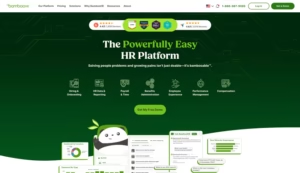
BambooHR is a favorite among SMBs for good reason. It’s the platform that small HR teams continue to choose because the employee side doesn’t require any training. Report cards, leave requests, performance reviews, and personal information all reside behind a clean employee dashboard, and the mobile app does the same job for those who aren’t in the office. The platform now serves more than 30,000 companies worldwide , with OpenAI, Zapier, and Harvard Medical School among its logos.
What specifically sets this apart for the social and solidarity economy (SSE) is the AI assistant Ask BambooHR . At the Core level, it answers simple data questions (“How many PTO days do I have left?”). At the Pro level, it expands to include company policies, manuals, and benefits. At the Elite level, it adds strategic analysis to HR data. This tiered approach makes sense because the assistant performs a different function for an employee than for an HR manager.
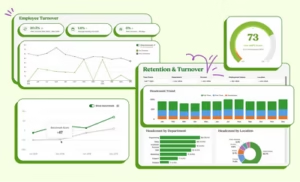
Another thing BambooHR does well is treat employee experience as a product, not a side feature. Integrated eNPS surveys, wellbeing pulses, and a total rewards view all reside in the same portal. This matters for adoption because the portal isn’t just a place to submit requests; it’s also where employees see their own compensation and advancement data.
Pricing
| Plan | Price | Included |
|---|---|---|
| Core | $10 USD per employee per month (or a flat rate of $250 USD for 25 or fewer employees) | HR data, recruitment (5 positions), e-signatures, eNPS, basic Ask BambooHR |
| Pro | $17 USD per employee per month | All of the Core plus performance, employee community, 25 positions, improved AI |
| Elite | $25 USD per employee per month | Everything from Pro plus compensation management, salary benchmarking (Mercer), HR benchmarks, advanced AI |
Payroll, Benefits Administration, and Time and Attendance are paid add-ons. There is a 15% discount for non-profits and a 15% discount bundle for Payroll + Benefits Administration on any plan (US only).
Advantages and limitations
Advantages: a clean employee UI that gets used, transparent per-employee pricing, an AI assistant in every plan, and a calm onboarding that doesn’t feel like an enterprise deployment.
Limitations: US payroll only as an add-on, strict cap on open positions in lower tiers, and limited scalability beyond approximately 1,000 employees compared to Workday or Rippling.
For whom is it
SMBs and mid-market teams of up to around 1,000 employees who want a portal that employees actually open, with HR, recruitment and leave all in one place, and an AI assistant that handles common questions.
2. Rippling
Rippling is the platform of choice when “employee self-service” means more than just an HR portal; it also encompasses IT, Finance, and access management, all within the same record. Their homepage pitch is “a platform for HR, IT, and Finance,” and the idea behind it—the Rippling workforce graph —is that the employee profile is the single source of truth, automatically synchronizing payroll, benefits, app access, and equipment allocation. Promote someone, and Slack permissions, payroll data, and laptop configuration update automatically without any HR admin having to chase them down.
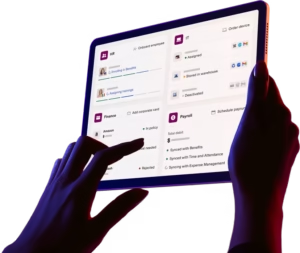
For employees, this means an unusually large self-service area. Report cards, W-2 forms, benefits sign-ups, expense reports, app access requests, and even hardware requests all reside behind the same login. The mobile app is robust. Rippling has 4.9 stars on Software Advice and Capterra , is the #1 HCM software and Grid Leader for Spring 2026 on G2 , and won PC Magazine’s Editor’s Choice .
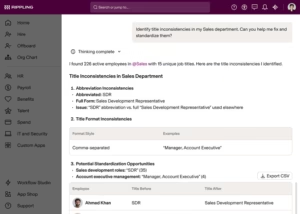
Rippling AI rises above the rest, using natural language prompts to identify inconsistencies in job titles, analyze attrition risk, and generate tailored workforce reports. For HR managers, it’s the analyst they can’t afford. For employees, the same engine answers everyday questions about policies and entitlements.
Pricing
Rippling doesn’t publish figures in dollars. The official pricing page asks you “to tell us which services you want to use and we’ll send you a customized quote.” What it does publish is the structure: each client pays for the Rippling Platform core and then adds the HR, IT, or Finance modules they actually use.
| Pillar | What it includes |
|---|---|
| Rippling Platform (core required) | Unified workforce directory, automated onboarding/offboarding, mobile app, Workflow Studio, Compliance 360 |
| Rippling HCM | US and global payroll, time and attendance, benefits administration, performance, recruiting, LMS, EOR, PEO |
| Rippling IT | Identity and access, device management, inventory management |
| Rippling Spend | Corporate cards, expense management, bill pay |
According to Rippling’s FAQ, products are generally billed per employee per month, with some modules having a base monthly fee . Each public CTA is “Request a custom quote.” To get a side-by-side figure, you need to speak with sales.
Advantages and limitations
Advantages: unified workforce graph, modular structure that allows you to pay only for the HR, IT or Finance parts you need, deep IT and Finance integration, and a solid AI layer for employees and HR.
Limitations: complexity and pricing opacity. Reviews often state that Rippling is more powerful than BambooHR but “far more complex and impersonal,” according to a comparison published by Truly Critic . Small teams may not need this level of automation, and the quote-based pricing makes side-by-side comparisons more difficult until well into the sales cycle.
For whom is it
Modern teams, often between Series A and Series D, that have moved beyond a basic HRIS and want HR + IT + Finance on a single record, with AI keeping the directory clean as the workforce grows.
3. Workday
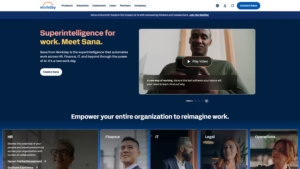
Workday is the enterprise HCM that most people think of first. It powers the HR and finance backbone for Siemens, Dell, GE, Comcast, and Levi Strauss , and its skills-oriented foundation, Skills Cloud , is based on the idea that talent decisions should be driven by skills data rather than job titles. For employees, the visible part is a deep self-service interface with payroll, benefits, time off, training, internal mobility, and career paths all accessible through a single login.
The 2026 effort focuses on AI agents. Workday has deployed an AI Self-Service Agent that elicits information through natural language questions and an HR Service Delivery suite called Workday Help, which integrates the portal with an HR helpdesk. Workday Help adds omnichannel case management, knowledge articles, and an AI-powered Workday Assistant that suggests solutions to HR teams. For an employee, this means asking a question in a chat room, receiving a relevant response with the attached policy, and only opening a ticket if the answer is insufficient.
The strength lies in the integration. Once on Workday, leave, payroll, and finance all flow through the same skills-aware data model, and the analytical surface is one of the deepest in its class. The challenge is the cost of achieving this.
Pricing
Workday does not publish prices in dollars. Each product page ends with a “Contact Sales” or “Request a Demo” call to action , and customers receive a personalized quote based on the modules selected and their workforce size. There is no free plan and no publicly available per-employee pricing.
| Module | Audience | Pricing model |
|---|---|---|
| Workday HCM | Companies | Annual subscription, customized quote |
| Workday Help | Add-on HR Service Delivery | Bundled or modular, custom quote |
| Workday Extend | Custom app platform | Customized quote |
Beyond the subscription, also factor in implementation, data migration and integration costs, which vary greatly depending on the partner.
Advantages and limitations
Advantages: Market-leading HCM depth, true Skills Cloud foundation, significant AI investment in 2026, and an HR Service Delivery layer that others are still trying to match.
Limitations: cost, complexity, and a learning curve that vendors themselves acknowledge as steep. Independent reviews note that “the depth of Workday’s features can create a steep learning curve for many teams” and that customization often requires external consultants ( source ).
For whom is it
Large companies, generally with more than 1,000 employees, that need a single HCM with AI agents, skills data and HR service delivery, and that can absorb an implementation of several months.
4. ServiceNow Employee Center
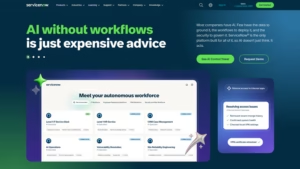
ServiceNow is the odd one out on this list because it didn’t start as an HR product. It’s the IT service management platform that 85% of the Fortune 500 already run, and Employee Center is the unified portal that transforms ServiceNow into a self-service platform for HR, IT, facilities, and any other shared services the company wants to expose. For organizations that already have ServiceNow for IT, adding Employee Center for HR is the path of least resistance, and that’s precisely where the product is positioned.
The 2026 story is bigger. On February 26, 2026, ServiceNow launched Autonomous Workforce and integrated Moveworks into the platform under the new product “EmployeeWorks ,” alongside the standalone Moveworks offering. EmployeeWorks combines Moveworks’ enterprise AI experience, used by over 5 million employees , with the next generation of Employee Center experiences and workflow execution. In practice, the AI assistant that employees see in Slack or the portal can both answer questions and execute workflows (open tickets, request access, update records) without HR or IT interfering.
ServiceNow’s homepage has the numbers to back this up. The platform reports 95 billion ongoing workflows , a 98% renewal rate , and case studies like “Stellantis: 48K employees onboarded in one day” and “Bell Canada: 3M support calls diverted per year .” For a self-service portal, deflection is the metric that matters.
Pricing
ServiceNow is entirely quote-based. The public ITSM Plans and Packages page lists three named tiers (ITSM Foundation, ITSM Advanced, ITSM Prime), and the AI Control Tower page lists six modules, but each plan ends with a “Get Custom Quote” CTA. Employee Experience pricing is sold with the broader platform.
| Landing | What it generally includes |
|---|---|
| ITSM Foundation | Basic IT service management, basic Now Assist agents |
| ITSM Advanced | Workflow automation, AI agents, extended virtual agent |
| ITSM Prime | Now Assist complete, advanced AI agents, governance |
EmployeeWorks and Autonomous Workforce are positioned as add-ons or platform extensions on top of these bundles. For comparison with alternatives, our more in-depth article on ServiceNow alternatives and ServiceNow licensing types and costs goes into the calculations in detail.
Advantages and limitations
Advantages: The most powerful workflow engine in its class, deep IT + HR + facilities consolidation in a single portal, and a serious AI strategy now that Moveworks is integrated. The 98% renewal rate is genuine retention, not marketing hype.
Limitations: a significant cost. ServiceNow is widely considered the most expensive option on the list, with pricing entirely based on quotes, multi-month implementations, and the accompanying learning curve. For a company that doesn’t already have ServiceNow for IT, purchasing only Employee Center is more difficult to justify.
For whom is it
Large companies that already have ServiceNow for IT want a single self-service portal between HR and IT, and have the budget to stack EmployeeWorks AI on top of it.
5. ADP Workforce Now
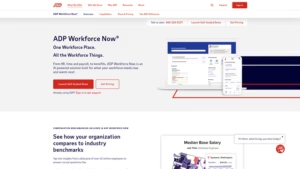
ADP Workforce Now is the platform that mid-sized US companies choose when payroll and compliance are key, and the self-service portal needs to be seamless and predictable. ADP positions Workforce Now for companies with 50 to 999+ employees , and the portal covers payroll, HR, time, benefits, and talent management all in one place.
The 2026 story is about AI on top of ADP’s structural advantage: the scale of its data. ADP Assist is the AI layer that runs across the platform, detecting payroll anomalies (catching errors before they reach a payslip) and proactively resolving issues. Underlying this, ADP benchmarks compensation and overtime against an anonymized dataset of over 42 million employees —something only a payroll provider the size of ADP can offer. For employees, this translates to more robust answers about pay and benefits in the portal.
Pricing
ADP does not publish per-employee pricing. Workforce Now is sold in three tiers, with a familiar “Select / Plus / Premium” range and stacked modules.
| Plan | Included |
|---|---|
| Select | Payroll, HR administration, self-service portal, ADP Assist, onboarding, digital files |
| More | Everything from Select plus Benefits Administration |
| Premium | Everything from Plus to Workforce Management (Time, Attendance, Scheduling) |
Optional add-ons: Talent Acquisition, Performance Management, Compensation Management, HR Assist, and a Learning Management library of over 70,000 courses . Each plan ends with a “Get pricing” CTA , so the actual cost per employee depends on the number of employees, the modules, and the contract duration, and is only determined after a sales discussion.
Advantages and limitations
Advantages: payroll and compliance backed by a 70-year-old company, mobile self-service that works for both deskless and corporate roles, and benchmarking data that smaller competitors cannot match.
Limitations: opaque pricing, a user interface that reviews describe as functional rather than modern, and a sales process that involves more calls than most modern HRIS purchases. The portal is functional, but the “delight” factor lies elsewhere on this list.
For whom is it
American mid-sized companies (50 to 999+ employees) that want payroll-driven HR with a capable self-service portal and benchmarking data on it, and that are willing to negotiate a quote.
6. Paycom
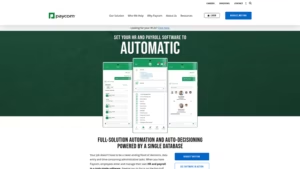
Paycom takes the opposite philosophical stance to most social and solidarity economy (SSE) portals. Rather than HR running payroll on behalf of employees, Paycom is built around the idea that the employee should own the process. Its flagship product, Beti , lets employees review, debug, and approve their own payslips before submission , which Paycom claims reduces payroll processing time by up to 90% and lessens HR’s responsibility for errors.
The rest of the Employee Self-Service product follows the same logic. Leave requests use GONE , an automated decision engine that approves or rejects them according to company rules, so HR isn’t the bottleneck. The IWant AI engine lets employees ask questions in natural language and pull answers from their own records. Manager on-the-Go gives managers the same control on mobile devices.
The product is designed around adoption: Paycom claims more than 1,000,000 5-star ratings in major app stores and on Capterra , a mobile signal that an HR portal does not usually get.
Pricing
Paycom does not publish any dollar prices on its website. There are no tiered listings, no figures per employee. Every product page, including the Employee Self-Service page , directs prospects to a ” Request meeting ” or ” See software in action ” call to action. The platform is sold as an all-in-one, single-database suite, and Paycom determines the price after a discovery call.
| What is published | What you need to ask |
|---|---|
| The full range of features (Beti, GONE, IWant, Manager on-the-Go, ESS portal) | Figures per employee or per payroll run |
| Mobile app demos and desktop UI | Implementation, setup and direct transfer fees |
| Customer logos and 5-star ratings | Plan tiers and add-on prices |
Expect a commercial discussion before you can directly compare Paycom to BambooHR or Rippling on cost.
Advantages and limitations
Advantages: a true employee-driven payroll model, a robust mobile platform, and an AI engine that draws its responses from the employee’s file.
Limitations: a purely commercial pricing strategy. Without any published information, side-by-side comparisons with BambooHR or Rippling are impossible before a discovery call, and this lack of transparency is a real point of contention for buyers who want to compare in a spreadsheet.
For whom is it
US-only mid-sized companies that want employees to own the payroll process, and that accept a sales cycle to obtain a quote.
How to choose between these six
The honest answer is that the right choice stems from two questions:
- At what scale and in which geography do you operate? For companies with fewer than 1,000 employees and a US focus, BambooHR or Rippling are obvious starting points. For mid-market US companies focused on payroll, ADP or Paycom are good options. For large global organizations, Workday or ServiceNow Employee Center are suitable.
- Where does the rest of your stack reside? If you already have ServiceNow for IT, adding Employee Center incurs less integration debt than starting from scratch. If you’re building IT and Finance alongside HR, Rippling consolidates the architecture.
Two things that come up in all ESS conversations in 2026:
- Adoption is the hard part, not the purchase. Buying the portal is one decision. Getting employees to use it instead of DMing HR is another. Bringing the portal to the employee, rather than the other way around, usually wins this battle.
- Tier-zero AI quickly pays for itself. A platform that diverts 60-80% of routine HR questions before they reach a ticket queue is doing real work, even before the ROI of actual case management. Whether this AI is in the portal or stacked on Slack matters less than whether it actually provides answers.