

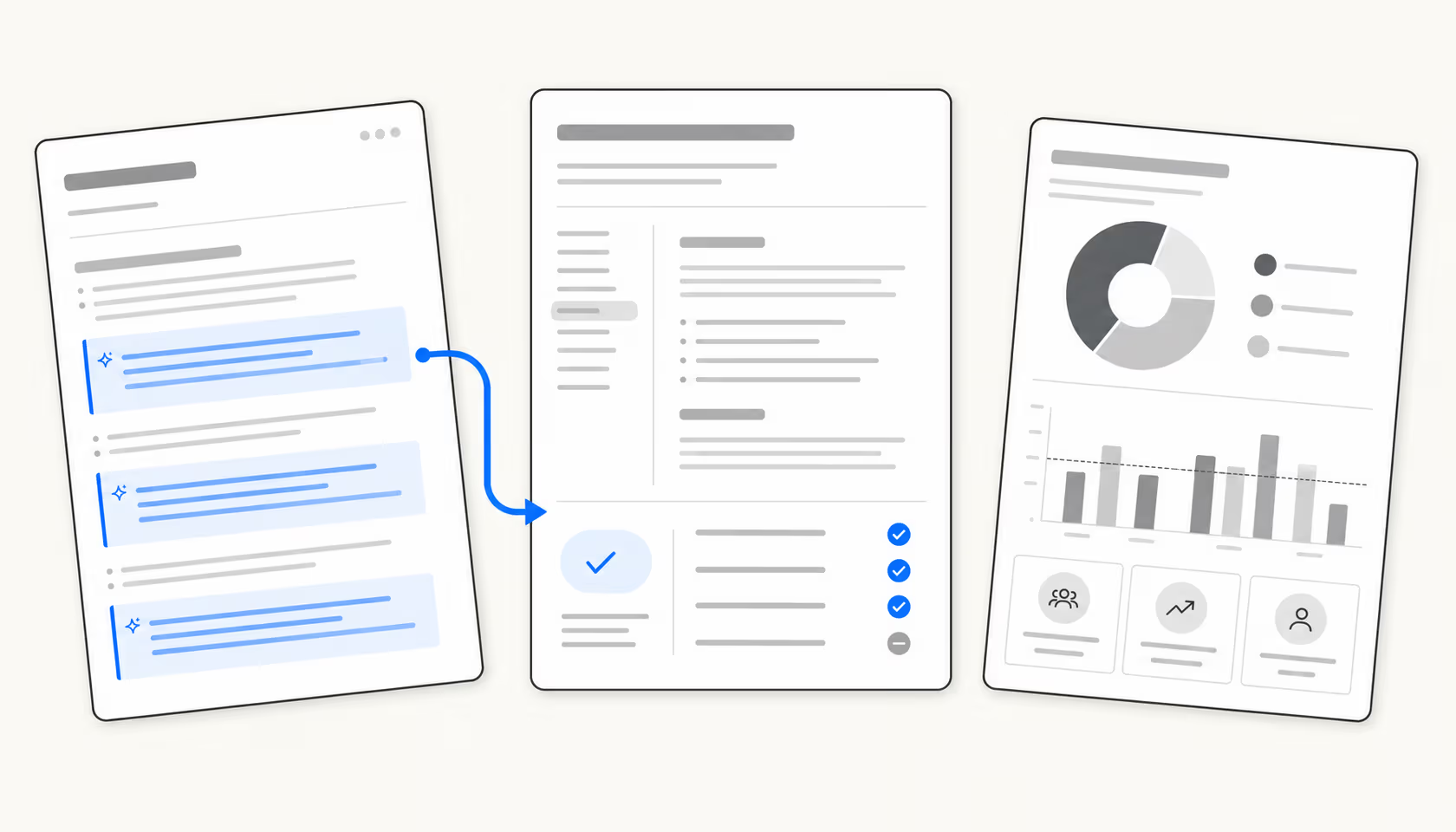

HR teams write more than almost any other department. A single recruitment cycle produces job descriptions, screening emails, offer letters, rejection templates, onboarding checklists, and policy amendments. Then there’s the day-to-day: leave policy updates, handbook revisions, general announcements, and the hundreds of small responses to employee questions that never quite seem right when they start with inconsistent wording.
Most HR teams use general-purpose AI the same way they used to copy and paste from Google Docs: quickly, with little governance, and with results that often sound like they came from a different company than the one on your careers page. The writing is fine. The voice is bad. Inclusive language checking hasn’t happened. The style guide is somewhere no one reads.
The tools below take a more structured approach. Some apply your brand voice and style guide as employees type. Some govern the knowledge your AI uses, so that answers to employee policy questions don’t come from a two-year-old version of your handbook. One fully automates the HR helpdesk so that queries that shouldn’t require a human ever reach one.
Whether you’re a solo HR manager at a 50-person startup or a 20-person team handling recruitment and HR operations for a large company, there’s a significant difference between “AI that writes” and “AI that writes consistently, accurately, and with your voice.” The six tools below are the ones that make that distinction.
How we selected these tools
The shortlist required tools that addressed at least one of the fundamental HR writing challenges: creating content (job descriptions, policies, communications), enforcing consistency (style guides, brand voice), managing knowledge (accurate and up-to-date answers), or automating the helpdesk layer (employee self-service). We excluded Intercom/Fin due to its acquisition relationship with was considered but ultimately rejected: its pricing ($1,000/month for the Growth plan) and its recent shift toward GTM/sales automation make it a poor choice for most HR teams.
Grammarly Business
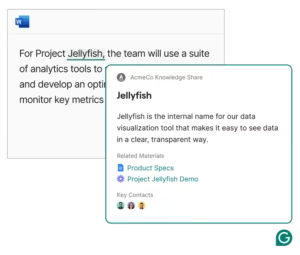
Grammarly Business is the writing governance layer that HR teams can deploy company-wide without changing how anyone works. It functions as a browser extension and natively integrates with over a million applications (Gmail, Outlook, Google Docs, Word, Slack, LinkedIn, Salesforce, Zendesk) and activates wherever your team writes.
For HR specifically, the most relevant features are: inclusive language enforcement (proactively flags gendered terms, biased phrasing, and non-inclusive language in job descriptions during typing), style guide uploading (paste your company’s writing standards; Grammarly flags violations in real time), and Knowledge Share (when an employee types a company acronym, Grammarly displays the definition and a link to the relevant document without them having to search).
The generative AI side handles initial drafts of job descriptions, onboarding communications, and policy summaries. The tone adjustment feature is especially useful for HR, where the same message needs to be received very differently depending on whether it’s an offer letter, a performance review, or a policy notice. Grammarly rates the tone of each message before it’s sent and suggests adjustments.
The platform’s dedicated HR page cites a statistic from Grammarly’s own research: more than half of candidates report that the quality of a job description had a major impact on their decision to apply. Companies like Atlassian, Zoom, Databricks, and Upwork use Grammarly Business at scale; Databricks reports annual savings of $1.4 million and 20 days per user per year.
Prices
| Plan | Price | Key features |
|---|---|---|
| Free | $0/month | Grammar and spelling, tone detection, 100 AI prompts/month |
| Pro | $12/user/month (annual) | Complete rewrites, inclusive language, 1 style guide, 1 brand tone, Knowledge Share, Snippets, 2,000 AI prompts/month/member, 7-day trial |
| Enterprise | Contact sales | Unlimited style guides and brand tones, SAML SSO, SCIM, BYOK encryption, DLP, ROI reports, dedicated CSM |
Ideal for: HR teams looking to implement company-wide writing governance, not just within HR. Its inclusive language application and style guide features make it the most purpose-oriented tool on this list for job descriptions.
Things to watch out for: Tone suggestions can sound generic even with a custom brand tone configured. Technical and scientific writing teams report excessive signaling. Enterprise features (SCIM, BYOK, individual-level analytics) require the Enterprise plan; Pro governance is relatively basic.
Writer
Writer is an enterprise AI platform designed for teams that need more than grammar checking, specifically teams that want a fleet of AI agents running content workflows, governed by a Knowledge Graph that applies accuracy based on verified enterprise data. It’s positioned as “agentic AI” rather than a writing assistant: the goal isn’t to improve individual documents, but to run end-to-end content operations at scale.
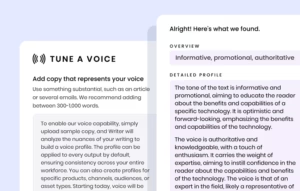
For HR, the most relevant capability is Voice Profile. Writer’s LLMs analyze a sample of your existing corporate content and extract a precise tone fingerprint: not just “formal vs. casual,” but granular nuances around vocabulary choice, sentence structure, and topic handling. Every piece of AI-generated content (job descriptions, offer letters, policy documents, employee communications) then inherits this voice rather than Writer’s default neutral tone. Users describe it as “not a generic style guide”: the level of customization goes far beyond what standard grammar tools offer.
The governance layer is important for larger HR teams. Writer’s Supervision Suite allows administrators to monitor what the AI produces, set throughput limits, and require approval before content is deployed across the organization. The Knowledge Graph stores HR policies, manuals, and compliance documents in a graph-based RAG system: when employees or the AI query it, the answers come from your verified documents, not training data or last year’s manual.
Writer holds SOC 2 Type II certification, and Enterprise plans include HIPAA compliance via BAA, which is relevant for HR teams handling medical leave documentation, benefits administration, or any health-related employee data.
Prices
| Plan | Price | Key features |
|---|---|---|
| Starter | Unpublished (14-day free trial, no credit card required) | 1 Voice Profile, 1 Knowledge Graph (1 GB), up to 5 users, 5 Playbooks, 3 Scheduled Routines, 3 Basic Connectors |
| Enterprise | Customized (contact sales) | Unlimited users, unlimited Knowledge Graphs (50 GB/graph), unlimited Playbooks, HIPAA BAA, SSO/SCIM, audit logs, third-party LLM support |
Ideal for: Mid-sized HR teams and large companies with a strong brand voice requirement, compliance needs (HIPAA) or complex content workflows requiring agent-based automation rather than a single document assistant.
Note: The Starter plan doesn’t publish pricing, so budget-conscious teams can’t self-service. Enterprise contracts typically range from $10,000 to $500,000+ annually, depending on the scalability. Setup requires a significant upfront investment in knowledge base architecture and voice profile configuration.
AI concept
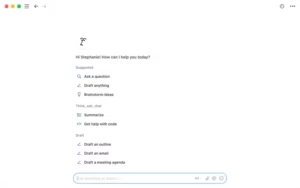
Notion AI is the right choice for HR teams already using Notion for wikis, projects, and documents. Rather than a standalone writing tool, it’s an AI layer integrated directly into the workspace that HR teams already use to maintain their employee handbook, track recruitment pipelines, and run onboarding processes.
The writing capabilities cover the basics well: drafting, summarizing, translating, reformatting, and generating first-draft content from prompts or existing documents. What sets Notion AI apart for HR is its workspace context. When you ask Notion AI to “write an offer letter for the senior engineer position in the Berlin office,” it can pull information from the job description page, the salary range database, and the offer letter template you already have in Notion, without you having to provide this context manually.
The Notion Agent goes further. It can execute multi-step workflows of up to 20 minutes: for example, “reviewing all job postings published in the last six months, identifying those that use gendered language, and generating a suggested replacement for each” runs as a standalone task. Custom agents can be configured to run on a schedule or be triggered by a Slack mention: an HR team could have an agent that automatically writes a welcome message whenever a new employee is added to the onboarding database.
Enterprise Search covers Notion, Slack, Google Drive and GitHub, enabling HR teams using multiple tools to search their entire knowledge base without changing context.
Prices
| Plan | Price | Key features |
|---|---|---|
| Free | $0 | Limited AI trial, documents and basic databases |
| More | $10/member/month (annual) + $8-10/member/month AI add-on | Unlimited pages, file uploads, basic AI features |
| Business | $20/member/month (annual) + $8-10/member/month AI add-on | Agent concept, row-level permissions, company search, SAML SSO |
| Enterprise | Custom | Full access to agents, advanced AI analytics, personalized security controls |
Ideal for: HR teams already using Notion as their primary workspace: wikis, recruitment tracking, onboarding documents. The more you already have in Notion, the greater the value. For teams starting from scratch or using separate HRIS and helpdesk tools, the migration cost may not be worthwhile.
Note: AI is an add-on for each paid tier and is not included. With Business + AI, you’ll spend $28-30 per user per month before the Enterprise tier. Price frustration is the most common theme in user reviews. Agent features require the Business tier or higher.
Jasper AI
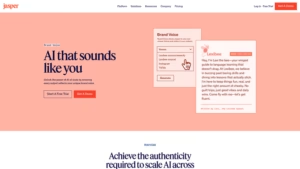
Jasper AI is a content generation platform designed specifically for marketing teams, but its Brand Voice and Knowledge Asset features translate directly to HR writing needs. The proposition for HR: rather than manually editing each AI draft to match your company’s voice, Jasper extracts your brand voice from existing text examples and automatically applies it to all output.
The Brand IQ system combines Brand Voices (tone and personality), Style Guides (terminology and formatting rules), Knowledge Assets (company-specific facts and policies), and Audience Profiles (adjusting the tone according to the audience: candidates vs. employees vs. managers). An HR team could configure a “candidate-oriented” voice for job descriptions and an “internal policy” voice for handbook entries, and Jasper would automatically apply the correct one.
Jasper Canvas templates and editor are useful for high-volume, repetitive HR workflows: mass-generating job descriptions for a recruitment wave, producing variations of the same policy notice for different seniority levels, or creating a complete set of onboarding email sequences from a single brief. The 100+ specialized agents include SEO optimization (useful for job descriptions on careers pages), personalization, and search.
The Agent workspace can run end-to-end content pipelines: from brief to first draft to final edited version with brand voice, without human intervention in the production stage.
Prices
| Plan | Price | Key features |
|---|---|---|
| Pro | $59/month (annual) or $69/month (monthly) | 1 seat, 2 Brand Voices, 5 Knowledge Assets, 3 Audiences, 7-day free trial |
| Business | Custom price | Unlimited Brand Voices, Knowledge Assets and Audiences, AI App Builder, Jasper Grid for mass automation, API access, SSO/SCIM, dedicated CSM |
Ideal for: HR teams managing high-volume content creation: a company running 50+ job descriptions at a time, producing regional variations of the same notice, or building a comprehensive onboarding content library. Value increases with content volume.
One thing to watch out for: Pro is limited to one seat and two brand voices, which is too restrictive for most HR teams. Business requires a custom contract. Reviewers note that the initial setup investment is significant: Voice extraction, Knowledge Assets, and Audience profiles all need to be configured before the benefits of brand voice become apparent.
Guru
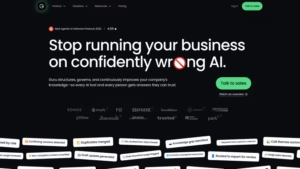
Guru takes a different approach from previous writing tools. Rather than helping HR teams produce content, Guru governs the knowledge that this content produces, and ensures that the AI that draws on this knowledge does so from verified and current information rather than falsely reliable, outdated documents.
The platform’s slogan captures the problem it solves: “Stop running your business on confidently wrong AI.” When employees ask AI tools questions about HR policies, they often get answers pulled from outdated documents, duplicate policy versions, or training data that bear no relation to your company’s actual rules. Guru’s Knowledge Agent answers questions from a single, governed source of truth: every piece of content is verified, has an owner, and is automatically archived when it’s outdated.
The automated review workflow is the flagship feature for HR: each knowledge card has a review schedule, and when a policy changes (a new leave policy, a salary grid update, a benefits change), Guru automatically flags the affected cards for review and propagates the correction everywhere those cards are referenced. The Cartwheel Care case study illustrates this in practice: the team went from 60% of knowledge assessed and verified to 100% thanks to Guru’s quality automations.
Guru’s 100+ connectors import from Slack, Confluence, SharePoint, Salesforce, Zendesk, Google Drive, and other enterprise tools, so the knowledge base is built from the systems HR already uses, not from a separate data migration. MCP integration means Guru can power external AI tools (including Claude or custom agents) from the same governed knowledge layer.
Prices
| Plan | Price | Key features |
|---|---|---|
| Enterprise | Contact sales (no self-service) | AI Knowledge Agent, 100+ integrations, automated verification, knowledge gap detection, MCP delivery, SOC 2 Type 2, HIPAA, SSO/SCIM, DLP, dedicated integration |
Ideal for: HR teams in medium and large companies where the main risk is that employees (or AI tools) are pulling outdated, duplicated, or conflicting policy versions. If your company has 20 copies of the leave policy scattered across Confluence, SharePoint, and email attachments, Guru’s governance layer is designed to address this problem perfectly.
Worth noting: Fully enterprise-only and quote-based; there are no self-service or trial options starting in 2026. Knowledge architecture and setup work is sold as part of the package (via their “AI and KM Strategy Team”), which is both a feature and a cost. For small HR teams or startups, this is likely overkill.
eesel AI
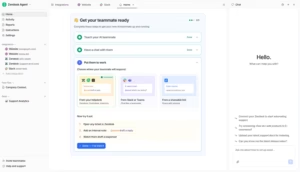
eesel AI addresses the part of HR writing that previous tools don’t cover: the downstream volume of employee questions generated by HR documents. Once you’ve written a great onboarding guide, an updated leave policy, and a clear benefits FAQ, employees will continue to ask HR questions about them individually, repeatedly, often outside of business hours.
eesel AI integrates with your existing HR helpdesk or Slack/Teams and automatically answers these questions. It leverages your existing knowledge base (Google Drive, Notion, Confluence, SharePoint, your help center, past tickets) and deploys as an AI teammate that handles routine queries (“How many vacation days do I have left?”, “Where do I submit my expense reports?”, “What is the parental leave policy?”) without human intervention.
The setup differs from previous writing tools: you don’t use eesel to create HR documents. You deploy it to answer questions about documents you’ve already written. eesel AI’s approach to HR support positions this as the last mile of HR documentation: the system that ensures employees actually get answers to the policies you’ve taken the time to write, rather than cluttering the HR inbox with requests.
Trust-based routing is the operational feature that makes this work at scale. High-confidence responses are sent automatically. Low-confidence responses are queued as drafts for an HR representative to review before being sent. This means that employee onboarding questions at 10 p.m. on a Sunday get handled, while borderline cases that require human judgment aren’t sent incorrectly.
The Knowledge Base Auto-updater capability detects recurring question patterns in ticket history and automatically writes new KB articles to fill gaps, closing the writing cycle. The Gridwise customer resolved 73% of Level 1 requests in the first month. Smava handles over 100,000 fully automated tickets per month in German, demonstrating how multilingual support (80+ languages) works in practice.
For HR teams evaluating AI writing software more broadly, eesel positions itself as the response delivery layer: the writing tools create the policies, eesel AI ensures that employees can find them and get answers from them.
Prices
| Plan | Price | Key features |
|---|---|---|
| Pay-per-task | $0.40/helpdesk task | Ticket resolution, draft mode, trust-based routing, support in 80+ languages, integration with Zendesk, Freshdesk, Intercom, Gorgias and more |
| Pay-per-task | $4.00/heavy task | Drafts of blog posts, complex research tasks |
| Annual commitment | 25% discount | Commit to $300+/month for the year |
| Enterprise Add-on | $1,000/month | Dedicated Solutions Engineer, SSO, HIPAA, BAA |
Free trial: $50 of free credits upon registration, no credit card required .
Ideal for: HR teams handling a high volume of repetitive employee questions: leave, benefits, expense policies, onboarding steps. If HR representatives spend a significant amount of time each week answering the same 10 questions, the ROI of eesel AI is immediate. Also invaluable for companies with multilingual staff where responding in each employee’s language would otherwise require translation costs.
Note: eesel AI is a response delivery tool, not a writing tool. It doesn’t help you write job descriptions or apply a style guide. It also overlays an existing helpdesk or Slack workspace; it’s not a standalone system, so you need one of these already in place.
Quick comparison
| Tool | Ideal for | Prices starting from |
|---|---|---|
| Grammarly Business | Enterprise-wide writing governance, inclusive language, job description editing | $12/user/month (annual) |
| Writer | Corporate brand voice, compliance, agentic content workflows | Customized (contact sales) |
| AI concept | Teams already using Notion for wikis and HR documents | $28-30/user/month (Business + AI add-on) |
| Jasper AI | Creating high-volume content with brand voice models | $59/month (1 seat, annual) |
| Guru | HR Knowledge Governance: A Single Source of Verified Truth | Contact sales |
| eesel AI | Automated HR helpdesk, large-scale employee policy Q&A | $0.40/helpdesk task |
How to choose
The previous tools address different layers of the HR writing problem. A useful way to decide:
If your main problem is the quality and consistency of writing within the team: Grammarly Business handles this with the least friction: it activates wherever your collaborators are already writing, without any change in workflow required.
If you need enterprise brand governance with compliance controls: Writer is designed for this, although the investment is significant.
If you already manage everything in Notion: Notion AI’s workspace context makes this the obvious choice: the AI already knows your documents.
If you produce high-volume content (dozens of job descriptions, regional communication variations, complete onboarding libraries): Jasper AI’s mass automation and branded voice models deliver results at scale.
If your main risk is that employees are getting incorrect answers from outdated policy documents: Guru’s check-first architecture directly addresses this.
If HR’s time is consumed by repetitive employee questions: eesel AI manages the response delivery layer so that HR representatives can focus on the work that actually requires human judgment.
Most HR teams end up using two or three of these tools rather than just one: a writing tool for content creation, a knowledge tool for governance, and optionally an automation tool for handling the volume of employee requests. eesel AI’s guide to HR helpdesk automation and the AI overview for employee onboarding both provide more details on how the layers interact in practice.